 LynBro Plugins
/ Image Optimizer
LynBro Plugins
/ Image Optimizer
LynBro Plugins
/ Image Optimizer
LynBro Plugins
/ Image Optimizer
100% local · free WebP & AVIF · see where each image is used and how oversized · right-size in one click · no credits, no cloud.
The core is free forever. No account, no card. AI alt text is an optional extra on your own OpenAI key.
Most optimizers meter you with credits, hide AVIF behind a paywall, or send your media to a third-party cloud. This one doesn't — and it shows you exactly which images to fix.
Compression, WebP and AVIF, resize, lazy-load and next-gen delivery all run on your own server with GD or Imagick. No credits, no quotas, no cloud — nothing ever leaves your site.
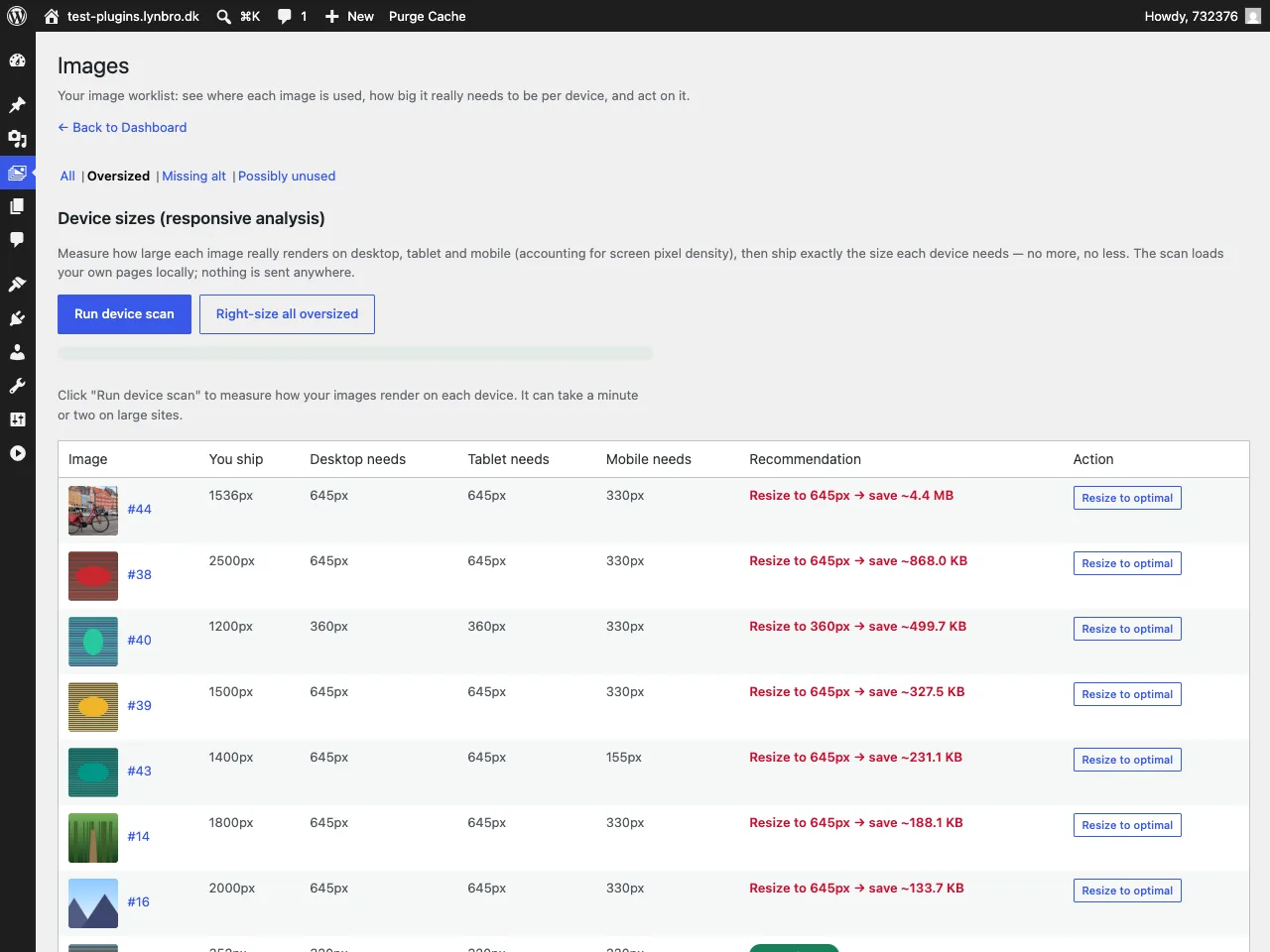
A where-used map plus real per-device sizes flags images far larger than the space they display in — the cause of Lighthouse's “Properly size images”. Right-size each one to what visitors actually see.
Optional and off by default. Generate accurate alt text and metadata grounded in the image and its page context, with a “does it match its context?” check — on your own OpenAI key, never through LynBro.
An optimizer, a where-used map and an AI alt-text writer in one — no code required.
JPEG and PNG compressed via your server's GD or Imagick — lossless, glossy or lossy. Nothing is uploaded anywhere.
Both next-gen formats generated alongside your originals, with no paywall — AVIF where your server supports it, WebP otherwise.
Server-agnostic <picture> rewriting with automatic fallback for older browsers. Cache-safe, no .htaccess edits.
Cap new uploads to a maximum dimension, never upscale. Native loading="lazy" with guaranteed width/height for zero CLS and an LCP-priority hint.
Finds each image across the block editor, classic content and featured images — plus Elementor, Divi, WPBakery and ACF / custom fields. Cached in its own table.
Measures the real size each image renders at per device, flags the oversized ones, and right-sizes to what visitors see with a correct srcset — in one click.
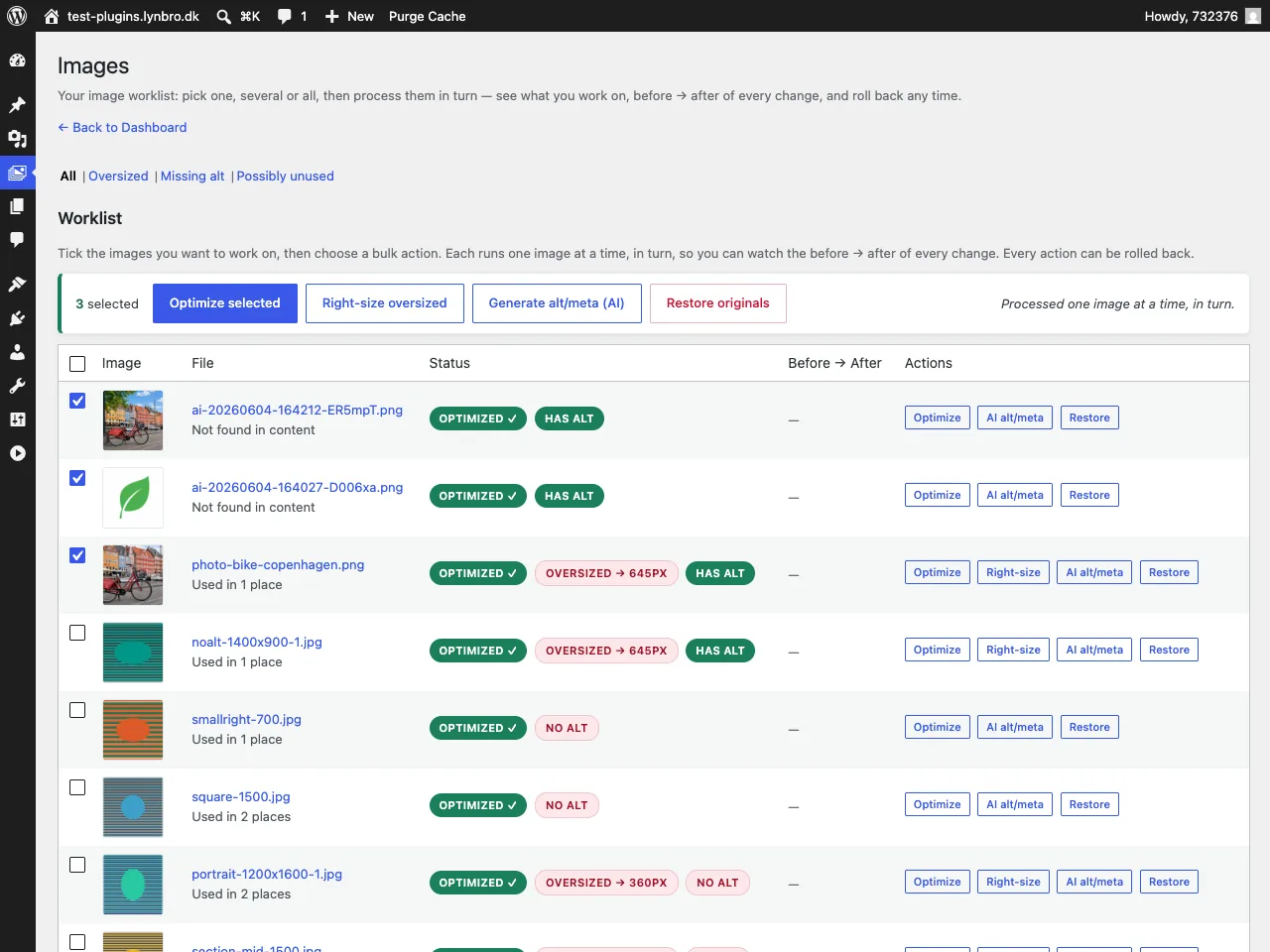
Pick one, several or all images and process them in turn with live progress. A clear before → after of every change, with one-click rollback.
Alt, title, caption, description and SEO meta grounded in the image and its page context, in the page's language — with a “does it match its context?” check. Your own OpenAI key.
Make a variant of an existing image, inpaint/edit it, or generate from a brief. Saved as new media — the original is never overwritten.
Optional backup of originals so you can restore any image — or revert AI-generated alt text — at any time, per row or for a selection.
A work-first Dashboard with a getting-started checklist, inline help tips, native WP tables and accessible controls. It works out of the box.
Fully internationalized with a first-class Danish locale and 34 more, so the admin speaks your language.
The things other optimizers meter, paywall or skip entirely are all included here, free and local, with no limits.
| Feature | Most free plugins | Typical paid / credit plans | LynBro — free |
|---|---|---|---|
| No credits or quotas | Often capped | Pay per image | ✓ |
| AVIF generation | Sometimes | Paid | ✓ free |
| Local — nothing leaves your site | Varies | Cloud | ✓ |
| Where-used map (incl. page builders) | — | — | ✓ |
| Display-size + per-device right-size | — | — | ✓ |
| AI alt text (your own key) | — | Add-on | ✓ |
| Bulk worklist, before/after & rollback | Basic bulk | Bulk only | ✓ |
| Price | Free, limited | €/credits per month | Free, no limits |
Comparisons describe common patterns across the category, not any single product. The only thing we keep for an optional paid cloud add-on is heavy offload & CDN — never something the plugin already does locally.
From the work-first Dashboard to the per-device report and AI alt text.
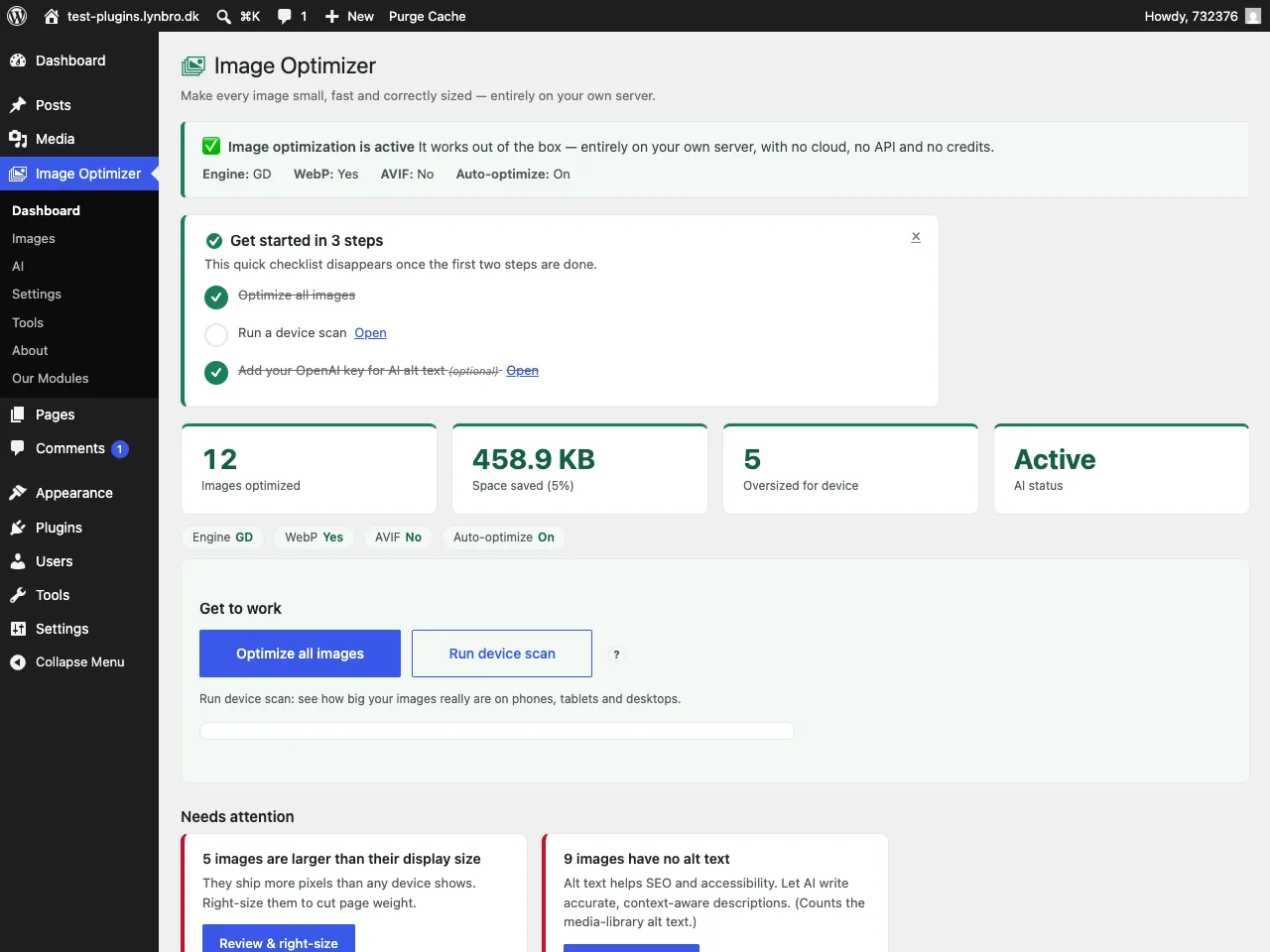
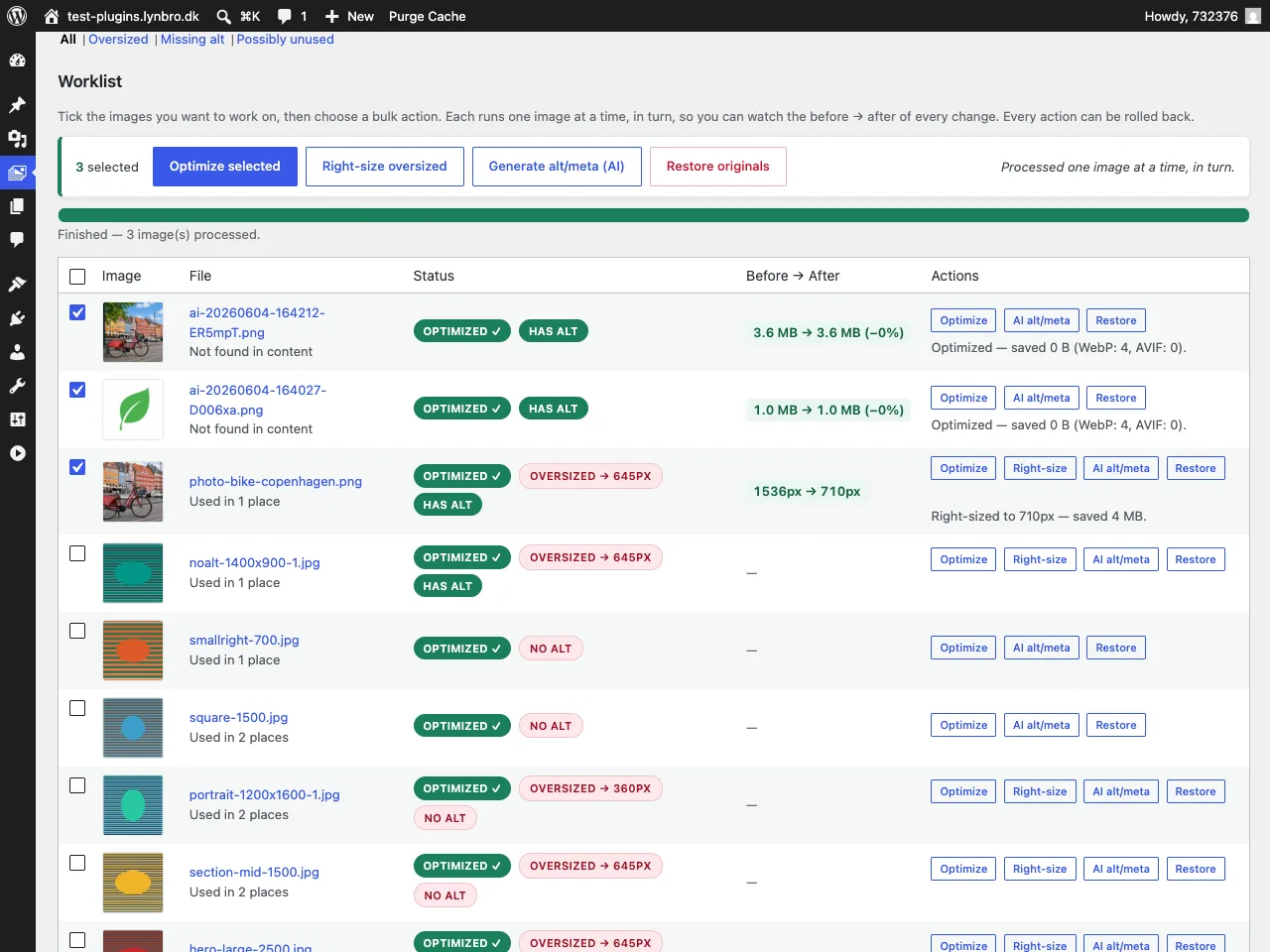
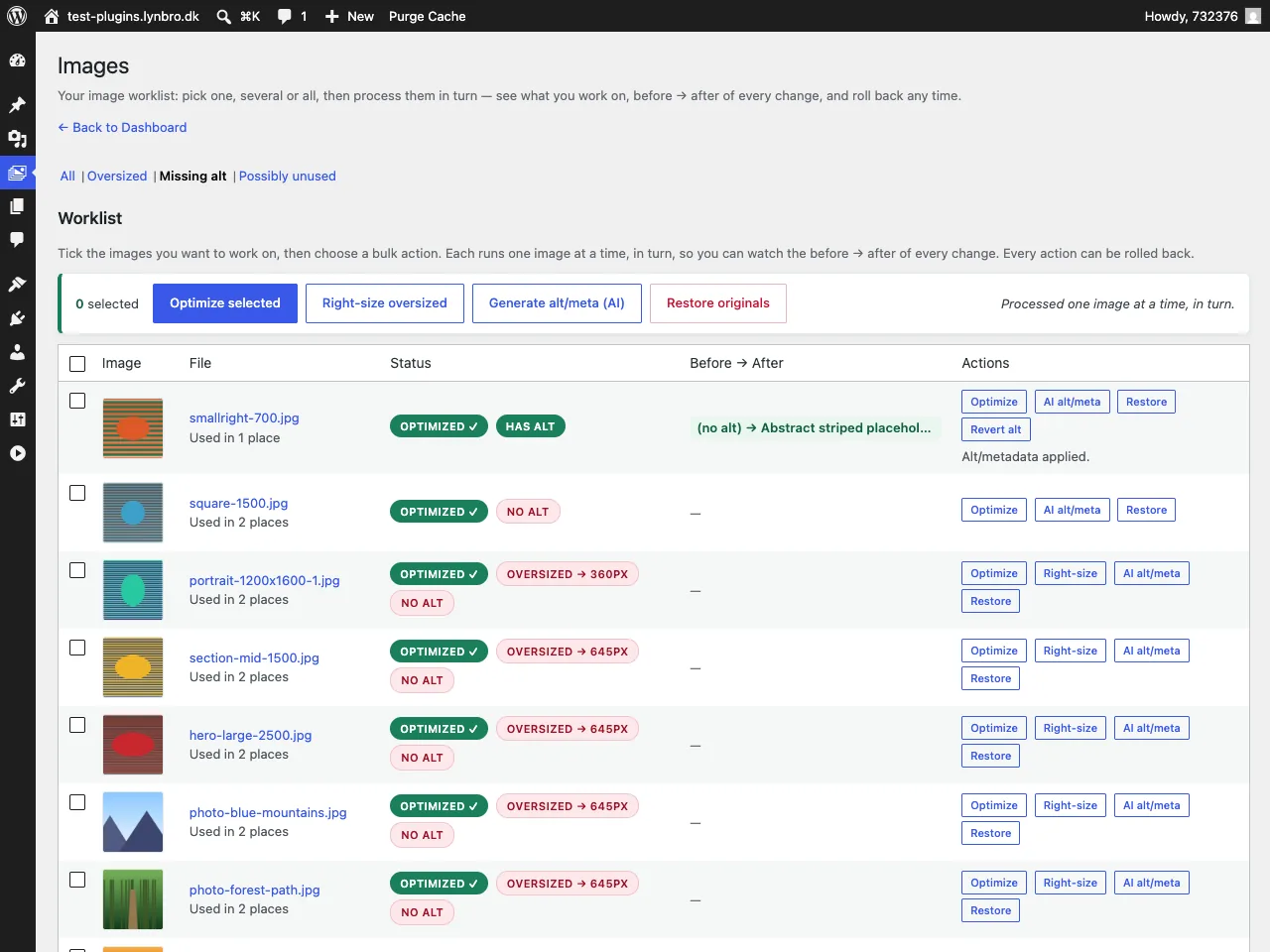
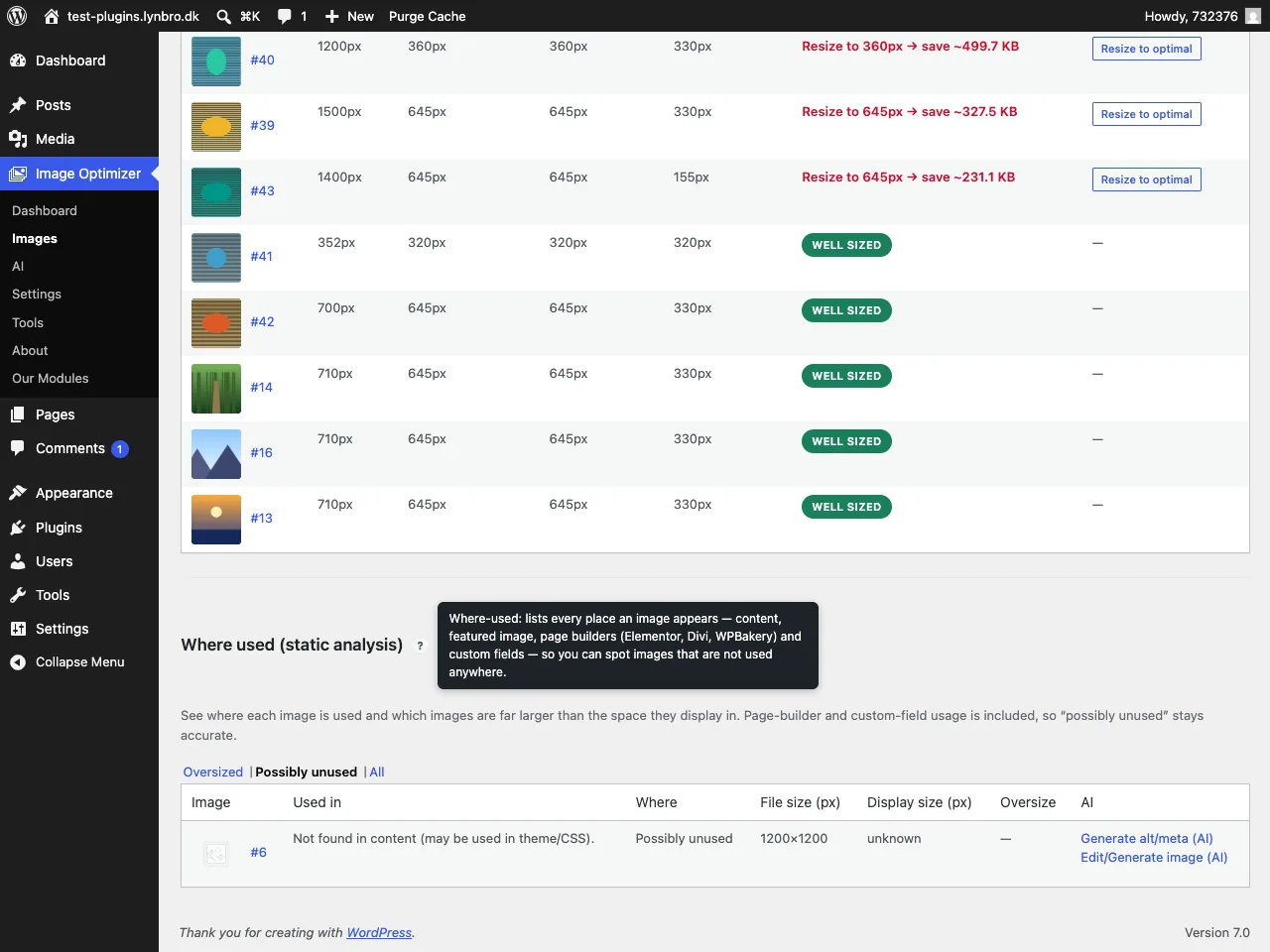
Off by default. When you want it, it takes about five minutes to set up and runs entirely on your own OpenAI key — never through LynBro.
sk-….Lightweight and cache-friendly — it coexists with the tools you already use.
<picture> delivery, no .htaccessYes. There are no credits, quotas or per-image limits anywhere. Compression, WebP/AVIF, resize, lazy-load, the where-used report and bulk optimization all run on your own server.
No. The free version never contacts any external service to optimize, scan or right-size your images. Everything is local.
Yes. The where-used scanner detects images placed with Elementor, Divi and WPBakery, and image attachments referenced in custom fields (ACF and other postmeta), on top of the block editor, classic content and featured images.
The plugin detects this and gracefully falls back to WebP (or skips next-gen entirely) without breaking anything. On shared hosting that lacks the AVIF encoder you still get WebP.
The AI module is optional and off by default. You add your own OpenAI API key and pay OpenAI directly — typically a fraction of a cent per alt text, and a cost preview is shown before anything runs. You can remove the key any time with one click.
No, not for optimization — it's 100% local, with no images or media data leaving your site. The optional AI module talks directly to OpenAI on your own key, and only when you click an AI action. The optional Feedback form sends only when you press Send. Your key is never routed through LynBro.
Lynbro Image Optimizer is free software (GPLv2+). The optional cloud add-on and AI module are separate, opt-in extras and never gate any local feature.
Install it from your WordPress dashboard under Plugins → Add New, or download from WordPress.org. Activate, open the Dashboard, click Optimize all and Run device scan, and you're off.
Coming soon — follow progress →The core is free forever. No account required for the core plugin.